Help centre
How to pick orders in Linari WMS
In short. Picking takes stock out of its locations for a shipping order. The supervisor confirms the order against stock, assigns locations and a worker; the worker picks on the handheld. Finished picks go to checking, or straight to dispatch when the warehouse does not check.
- Confirm the order lines on Shipping Order. Linari reserves stock in the warehouse’s rotation order (FEFO unless set otherwise).
- Location Assign on Picking Location Assign chooses the locations to pick from.
- Worker Assign on Picking Worker Assign gives the picks to a worker.
- The worker opens Picking on the handheld and confirms each line.
- The finished picks go to checking, or to dispatch.
This article covers a standard warehouse. Break-down (BD) warehouses pick per store and get their own article.
Before you start
- The goods are received and, in a warehouse with locations, put away. Stock still waiting for put-away cannot be picked.
- The shipping orders are in Linari, usually from your ERP.
- The worker has a picking permission on the handheld: by store, by product, or by consignee (B2B).
Step by step: in the web app
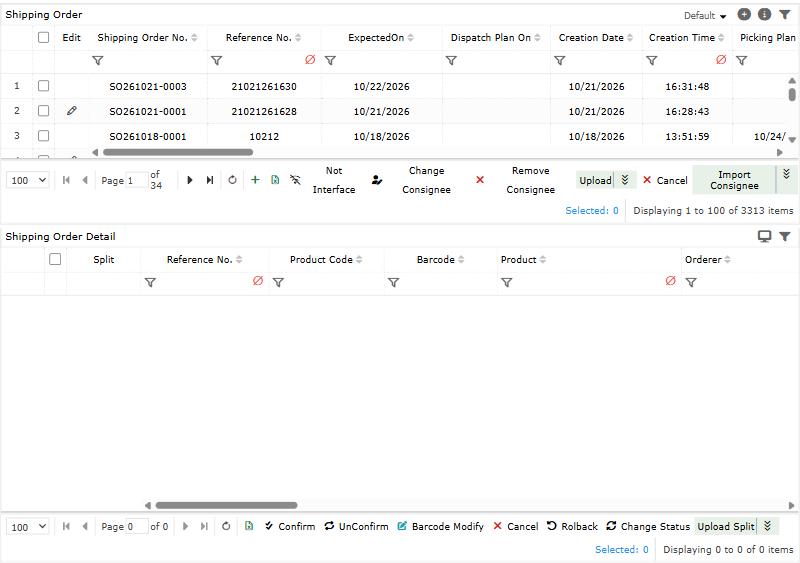
- Open Shipping Management > Shipping Order, select the order lines and click Confirm. All selected lines must belong to one warehouse. Linari reserves stock batch by batch: FEFO (earliest expiry first) by default, or FIFO or LIFO if your warehouse uses them. If there is not enough stock, the available part is confirmed and the rest becomes a separate line in OutOfStock, which you can confirm again later.
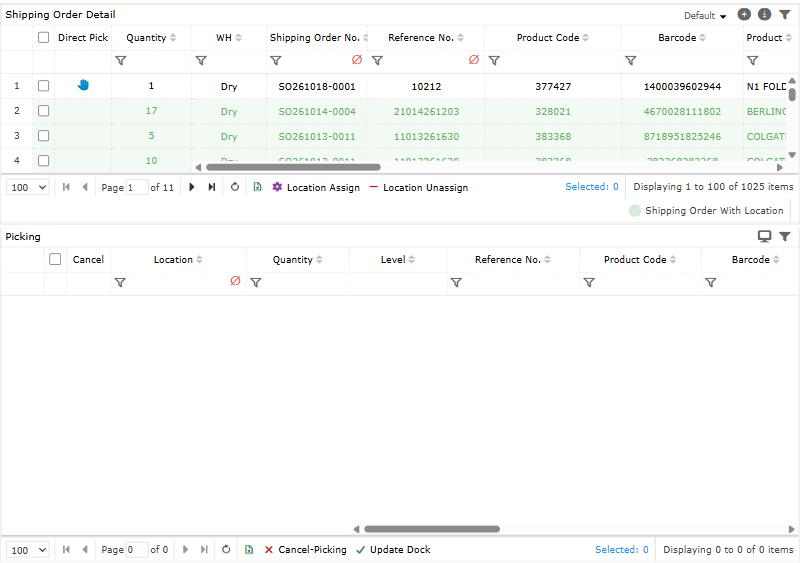
- In a warehouse with locations, open Picking Location Assign, select the lines and click Location Assign. Linari picks from pick bins first, then in pick sequence, and skips locations locked for picking. To choose the locations yourself, use Direct Pick on the line.
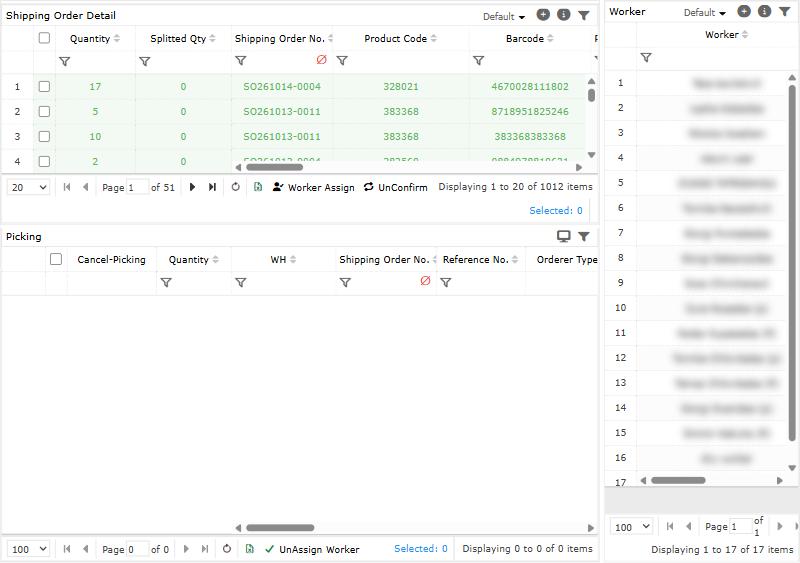
- Open Picking Worker Assign, select a worker and the lines, and click Worker Assign. The picks appear on the worker’s handheld.
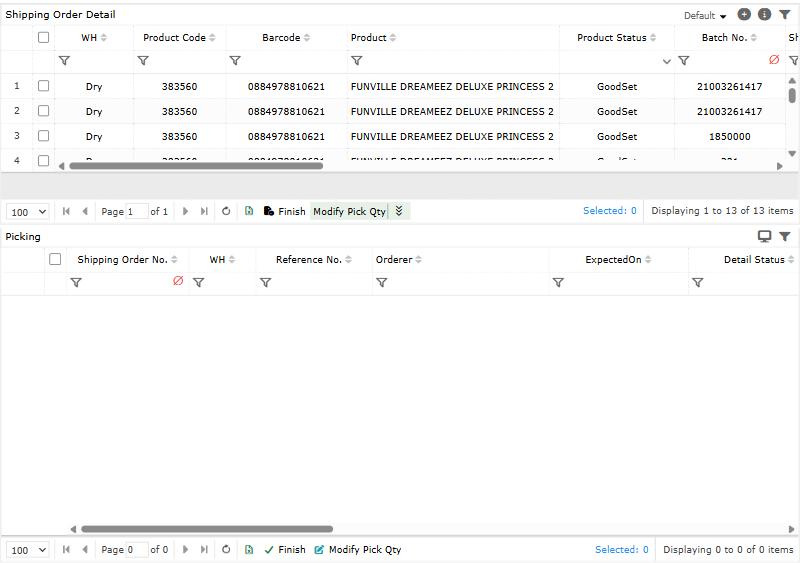
- To follow up or finish from the web, open Picking Finish: By Order or By Location, then Finish. Use Modify Pick Qty when the picked quantity differs.
- To undo: UnAssign Worker takes the worker off, Location Unassign removes the locations, and UnConfirm releases the reserved stock. They work in that order: a line with locations cannot be unconfirmed.
Step by step: on the handheld
- On the home screen, open Picking. Choose the tab your work is grouped by: Store, Product or Consignee(B2B).
- Open a task. On Picking By Store you can filter by Aisle.
- Go to the location, take the goods, and tap Confirm on the line.
- If your warehouse requires scanning, scan the Location Code and the Barcode and tap Save. Otherwise confirm “Are you sure to pick \[product\] with the quantity of N”.
- If the quantity is not right, use Modify, Waste or Cancel on the line before confirming. Un Pick reverses a line you marked by mistake.
- If your warehouse works with docks, enter the Dock No. at the end and tap Confirm.
A finished line leaves the list.
How settings change picking
Linari sets these during setup; ask your Linari contact to change one.
| Setting | What changes |
|---|---|
| Allocation strategy (warehouse Config) | FEFO (default), FIFO or LIFO: which batches are reserved first. |
| Batch priority (warehouse Config) | An order line with a batch number takes only that batch. |
| Has Location | On: Location Assign chooses locations. Off: picks have no location. |
| Partial location assignment (warehouse Config) | Off (default): Location Assign refuses a line it cannot cover in full. On: it assigns what it can. |
| Mandatory location scan | The worker must scan the location before confirming a line. |
| Mandatory barcode scan | The worker must scan the product before confirming a line. |
| Dock on worker assign (warehouse Config) | The worker enters a Dock No. to finish. |
| Has Check Process? | On: every finished pick creates a checking task. Off (default): picks go straight to dispatch. |
| Auto check (warehouse Config) | Checking tasks are created already checked. |
| Location: picking lock | A locked location is never picked from. |
| Location: pick bin and pick sequence | The order in which locations are picked. |
Statuses
| Order line status | Meaning | Moves on when |
|---|---|---|
| Initial | Not confirmed yet. | Confirm: InProcess, or OutOfStock without stock. |
| OutOfStock | No stock was available. | Confirm again when stock arrives. |
| InProcess | Stock reserved; locations, worker and picking follow. | Dispatch finishes it: Finish. UnConfirm: back to Initial. |
| Cancel | Cancelled. | Only Initial or OutOfStock lines can be cancelled. |
| Finish | Dispatched. | Final. |
Common problems
| Message | Why | What to do |
|---|---|---|
| Only Initial/OutOfStock can be confirmed. | The line is already confirmed or cancelled. | Nothing to do, or UnConfirm first. |
| All ShippingOrderDetailIDs must belong to the same warehouse. | The selection mixes warehouses. | Confirm one warehouse at a time. |
| No available inventory found. / Allocated X of requested Y. | Not enough stock. | The rest waits as OutOfStock; confirm it when stock arrives. |
| Status must be InProcess. | The line is not confirmed. | Confirm it first. |
| Insufficient inventory (short by N) | The locations hold less than the order needs; stock may still be waiting for put-away. | Finish put-away, then run Location Assign again. |
| Cannot pick. All locations with inventory are Pick-Locked | Every location with this product is locked for picking. | Unlock a location, or move the stock. |
| This order detail is already assigned to a worker. | A worker already has it. | UnAssign Worker first to change the worker. |
| Cannot rollback: picking (location assign) exists. | The line has locations. | Location Unassign first, then UnConfirm. |
| Wrong Location / Wrong Barcode | The scan does not match the line. | Go to the location shown on the line and scan the right product. |
| Location \[…\] is locked and cannot be picked. | The location was locked after assignment. | Ask a supervisor to unlock it or reassign the location. |
| Picking has already been completed. | The line was finished on another device or on the web. | Refresh the list. |
What happens next
With checking on, continue with Check orders; otherwise with Dispatch. For how Linari decides what to pick, see Picking.